Blixt Bank · External resourceFree

A bank, not a wallet.

Multi-account, multi-character, multi-framework. Gov ID protects every action — steal the phone, you still can't move the money. The pefcl successor for Blixt.

Free. Included with Blixt Phone or Tablet · ships as blixt-bank
Modules
6 built-in
Frameworks
4 supported
Protected by
Gov ID grants
Accounts · cards · invoices
Gov ID protected
Per-character isolation
Idempotent ledger
P2P transfers by phone number
ATM withdraw export
QBox · QBCore · ESX · Standalone
Soft-coupled · drop-in resource
Accounts · cards · invoices
Gov ID protected
Per-character isolation
Idempotent ledger
P2P transfers by phone number
ATM withdraw export
QBox · QBCore · ESX · Standalone
Soft-coupled · drop-in resource

Six modules. One app.

Six things pefcl made you stitch together — accounts, shared accounts, transfers, cards, invoices, recurring — surfaced inside the Blixt phone. Per-character. Gov-ID-gated. Idempotent.

01 — accounts

Accounts

Multiple accounts per character with a configurable cap. Rename, archive, set default. Switch character and you get a fresh wallet.

multi-account per-character
02 — shared

Shared accounts

Crew, job, and organisation accounts with owner / contributor / viewer roles. Role-gated on the server, not just in the UI.

roles audited
03 — transfers

Transfers

Between your own accounts, to other phones by number, plus ATM deposit and withdraw. Idempotency keys on every write — retry without double-sending.

p2p idempotent
04 — cards

Virtual cards

Scrypt-hashed PINs. Three wrong attempts and the card locks. CardWithdraw export lets any ATM script verify a PIN and debit through Blixt.

scrypt PINs ATM export
05 — invoices

P2P invoices

Compose, send, pay. Money only leaves the account when the receiver actually settles — sender can cancel any time before that.

sender-cancellable no escrow
06 — recurring

Recurring

Daily, weekly, or monthly transfers. No backfill on missed cycles — the schedule resumes on the next tick. Pause, edit, cancel from the phone.

no backfill pausable

Walk in. Or roll up to the ATM.

The Blixt Phone app is extra, not required. Bank ships with a full-screen office UI for the teller counter and a card-first ATM flow for street kiosks — same accounts, same Gov-ID gating, same idempotent ledger. Drop the resource in without the phone and you still get the whole bank.

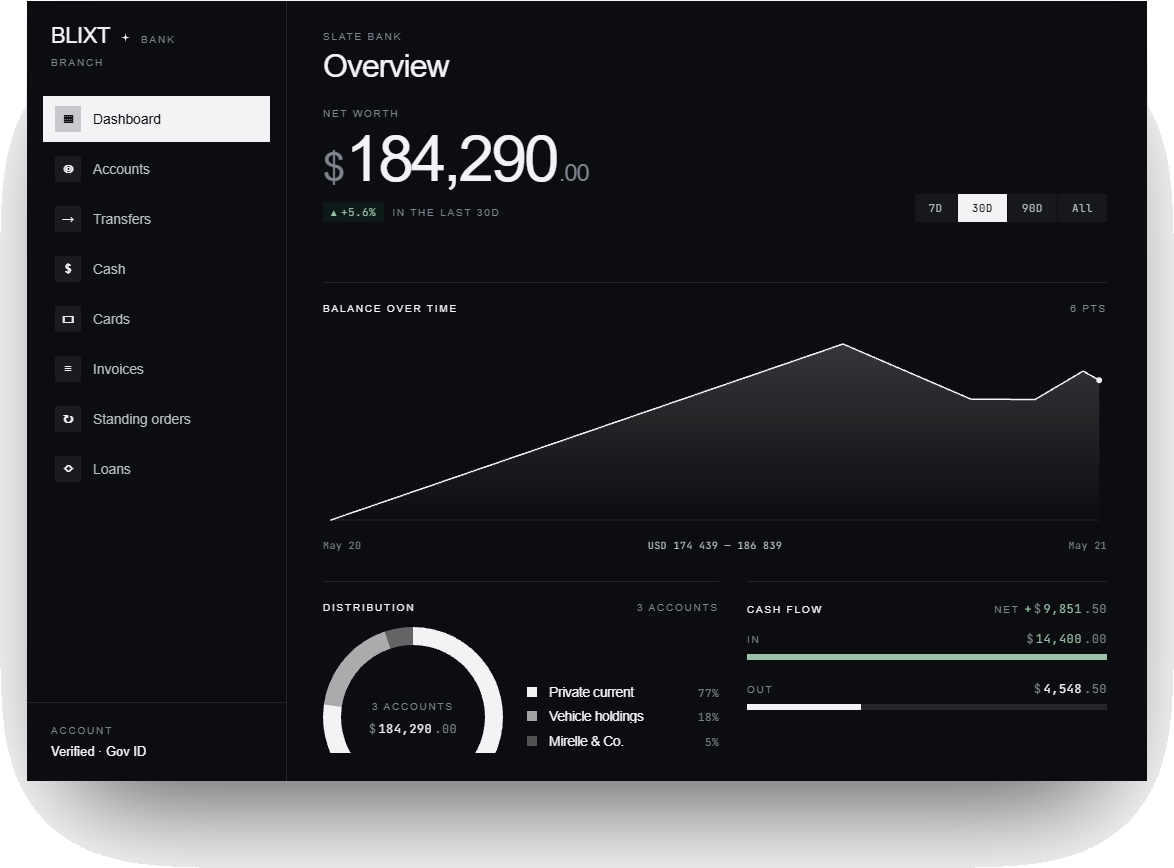
Bank office UI - Slate Dark theme
A · Office

The teller counter, on-screen.

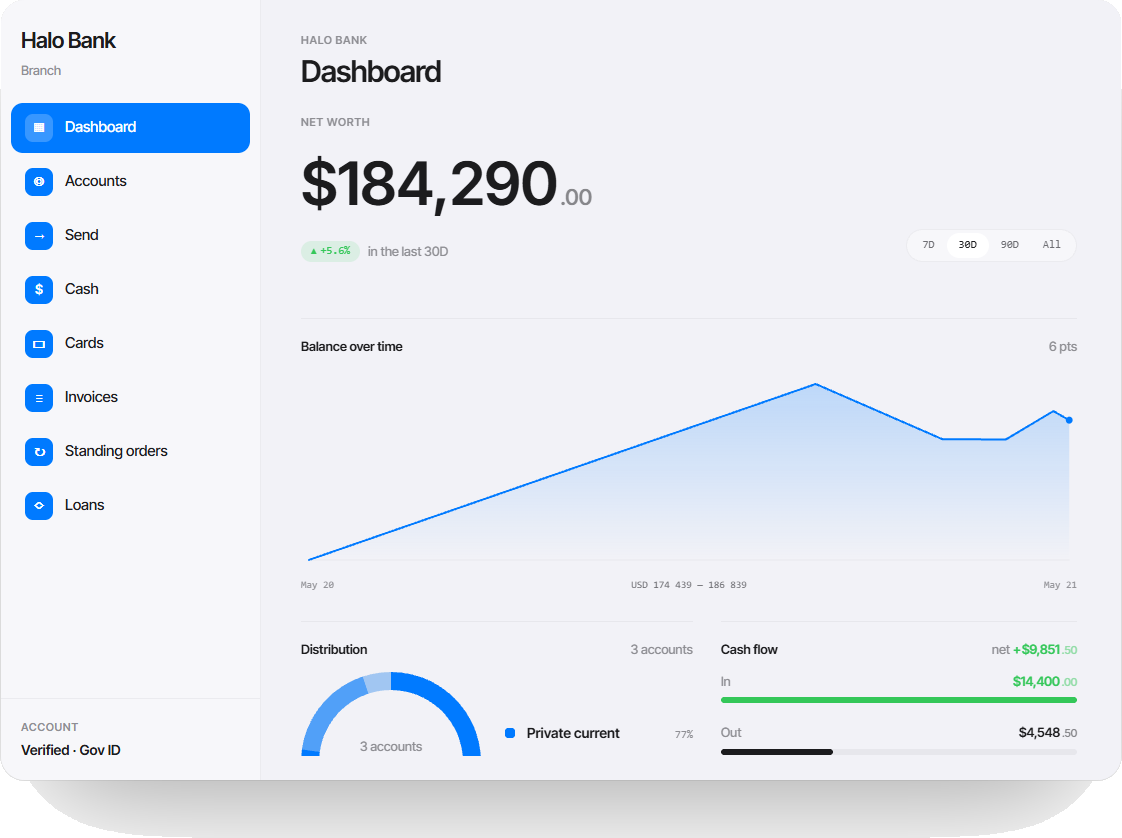
A full editorial dashboard for the bank lobby. Accounts, shared accounts, cards, invoices, recurring transfers, and member management — every action routed through the same Gov-ID-gated procedures as the phone.
Admin setup wizard 15+ screens Same Bank backend
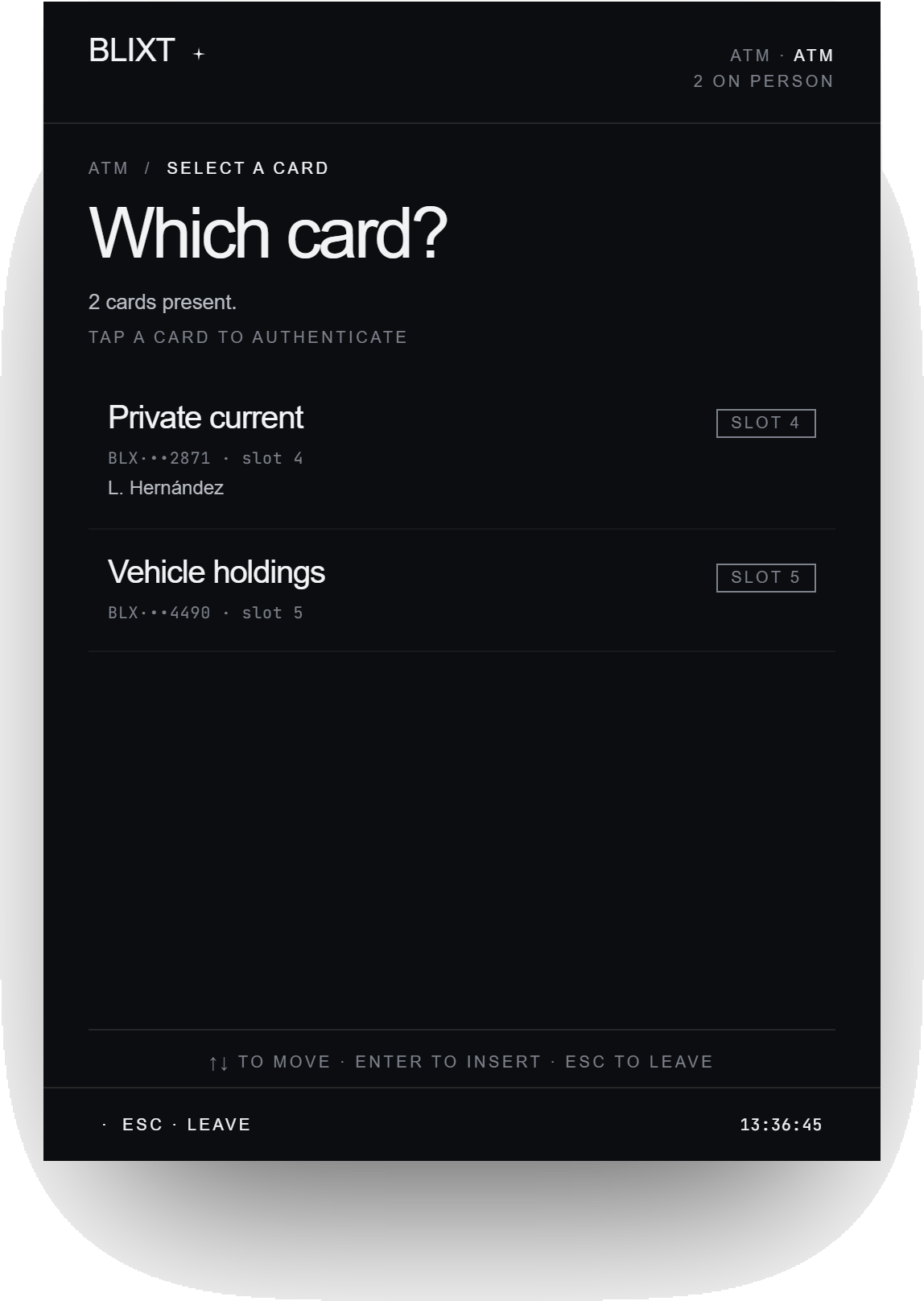
Bank ATM UI - Slate Dark theme
B · ATM

Tap a card. Punch a PIN.

Card-first ATM flow with preset amounts, configurable fees, and a PIN lockout after three wrong attempts. Hooks into ox_inventory for cash and exposes a clean cashier export for shops.

Withdraw · deposit · balance 5 preset amounts Lockout after 3 wrong PINs

Two families. Four faces.

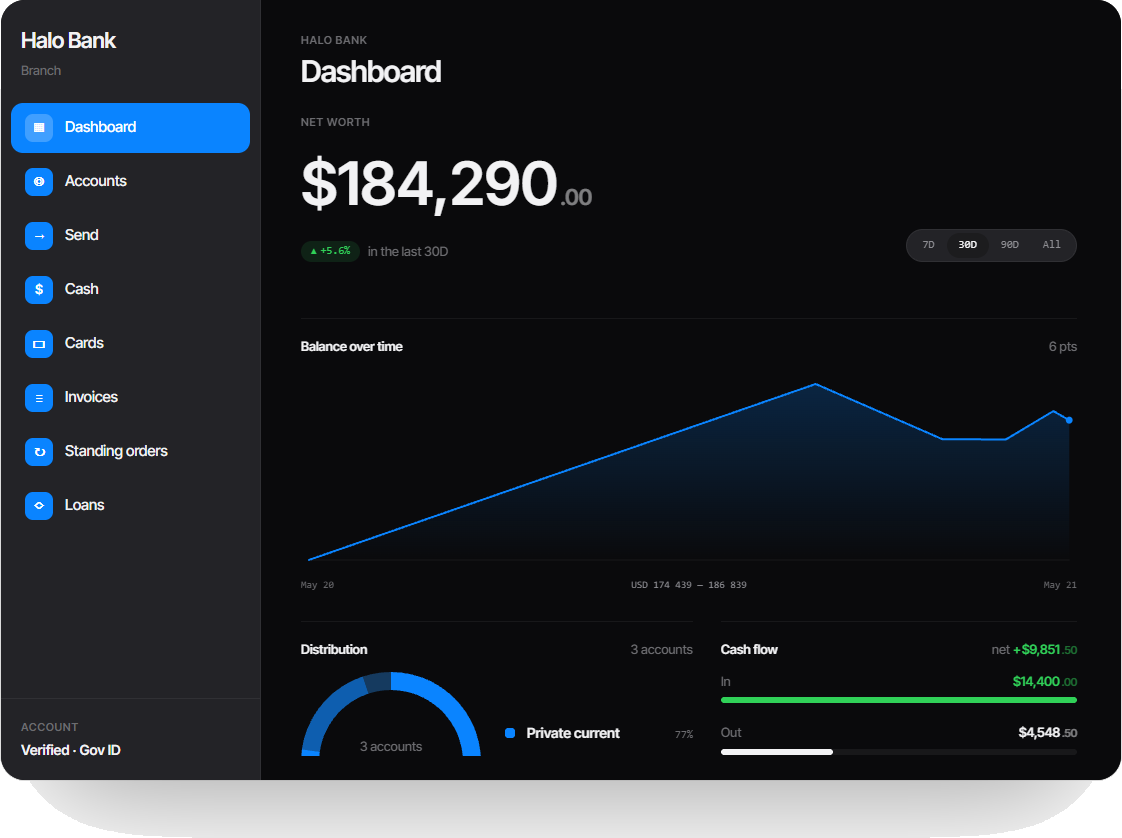
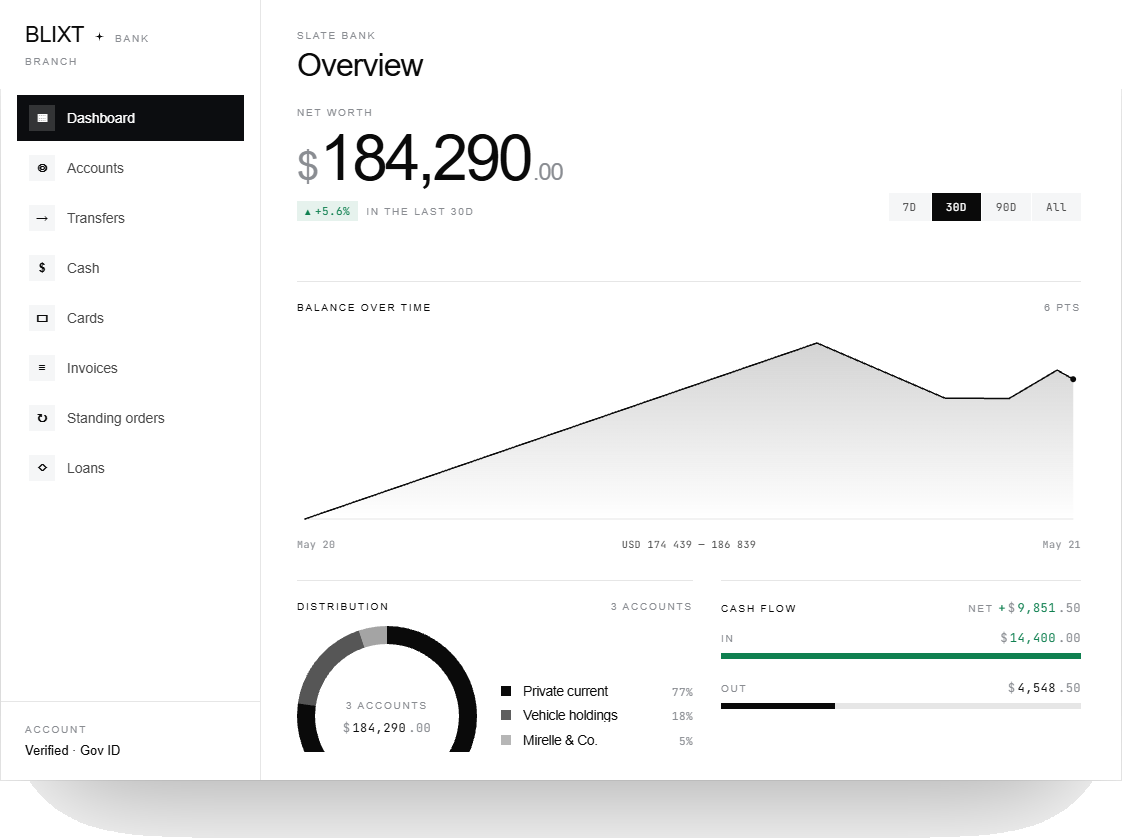
Change the look from one line in config.json. Two design families — Halo and Slate — each ship with a light and a dark variant. Every face renders the same data, the same modules, the same Gov-ID gating.

Halo (Light) theme office
Halo
Light
Halo Dark theme office
Halo
Dark
Slate (Light) theme office
Slate
Light
Slate Dark theme office
Slate
Default · Dark

Built like a bank. Not a wallet.

i.

Per-character by default.

Accounts key on the framework's character identifier — citizenid on QBox and QBCore, identifier on ESX. Standalone gets a local fallback that behaves the same way. Switch character, get a fresh wallet. Nobody on the same FiveM license ever sees your other character's money.

citizenid keyed multi-character safe standalone fallback
ii.

Lose the phone, keep the money.

Every protected handler verifies a Gov ID grant through exports.blixt:verifyGovIdGrant. bank_external.view is a five-minute reusable read; transfer, card_reveal, invoice_pay, member_manage, account_manage, and recurring_manage are single-use action grants. The phone alone doesn't move money — your character at the phone does.

view grants single-use actions server-verified
iii.

Idempotent, end to end.

Every transfer, deposit, and card withdraw carries an idempotency key. Your script can retry on a network blip; your player can rage-tap "send" — the ledger only records it once. No double-send. No half-applied state. Receipts on every transaction; the full ledger is viewable from the app.

idempotency keys atomic writes ledger
iv.

The number, not the name.

Send someone money? They see the number you sent from. If that number is in their contacts, they see the contact name they saved. If not, you stay an unknown number — Blixt never resolves a phone to a framework first/last name in the background. The app shows what your character would actually know, not what the framework exposes.

number-only disclosure contacts-driven names no auto-identity
v.

External, not embedded.

Bank ships as its own FiveM resource that registers itself with Blixt at start through exports.blixt:RegisterExternalApp. Drop it into resources/, restart, and the Bank app appears on every player's phone. Uninstall by stopping the resource — Blixt itself stays untouched.

external app soft-coupled drop-in

Drop it in. Money moves.

Bank reads from whichever framework adapter Blixt is already running on. The same install works on every supported server — switch frameworks, restart the resource, the accounts come back.

i. Frameworks
qbox
Stable
qbcore
Stable
esx
Stable
standalone
Native
ii. Database
oxmysql
Required
MariaDB / MySQL
Shared w/ Blixt

Every knob, turned from one file.

Bank ships with a typed config schema. Set currency, starting balances, account caps, ATM presets, and fees in apps/bank/config.json. No source edits. Restart the resource and the new values are live.

Schema · apps/bank/config.json Reload · restart blixt-bank Scope · server-wide

Money your character earns. Money your character keeps.

Ships as blixt-bank alongside the phone. Drop it in, restart, the Bank app appears. Requires Blixt Phone or Tablet.